
A user taps a link in an ad for a specific product, installs your app, and lands on the home screen instead of that product. Deferred deep linking fixes that broken journey — and the same mechanism tells you which campaign drove the install.
What is deep linking?
A deep link opens a specific screen inside a mobile app — a product, an order, a chat — instead of just launching the app. There are two common forms:
- Custom URL schemes such as
myapp://orders/123. Simple, but they only work when the app is installed, and any app can claim the same scheme. - Verified web links — Universal Links on iOS and App Links on Android. A normal
https://URL opens the app if it's installed and the website otherwise. Your domain proves ownership with a file on your site, so other apps can't hijack the link.
What is deferred deep linking?
Both forms above assume the app is already installed. Deferred deep linking handles the case where it isn't: the link sends the user to the App Store or Play Store, and after they install and open the app for the first time, the app retrieves the original link and its context. The deep link is “deferred” until after the install.
The flow looks like this:
- The user taps a campaign link. The link service records the click and its campaign details.
- The user is redirected to the right store for their device and installs the app.
- On first open, the app's SDK asks the link service which click led to this install.
- The app gets the original destination and campaign data and can route the user accordingly.
How the install is matched to the click
Step 3 is the hard part, because the app stores don't simply hand the link to your app.
- Android: the Google Play Install Referrer API gives your app the referrer string that was attached to the Play Store link. That makes Android matching deterministic — the click ID travels through the install.
- iOS: the App Store passes no equivalent referrer to your app. Providers rely on other techniques, each with accuracy and privacy trade-offs, and Apple's privacy rules limit device-fingerprinting approaches. Expect iOS matching to be less precise than Android.
Deferred deep linking and install attribution
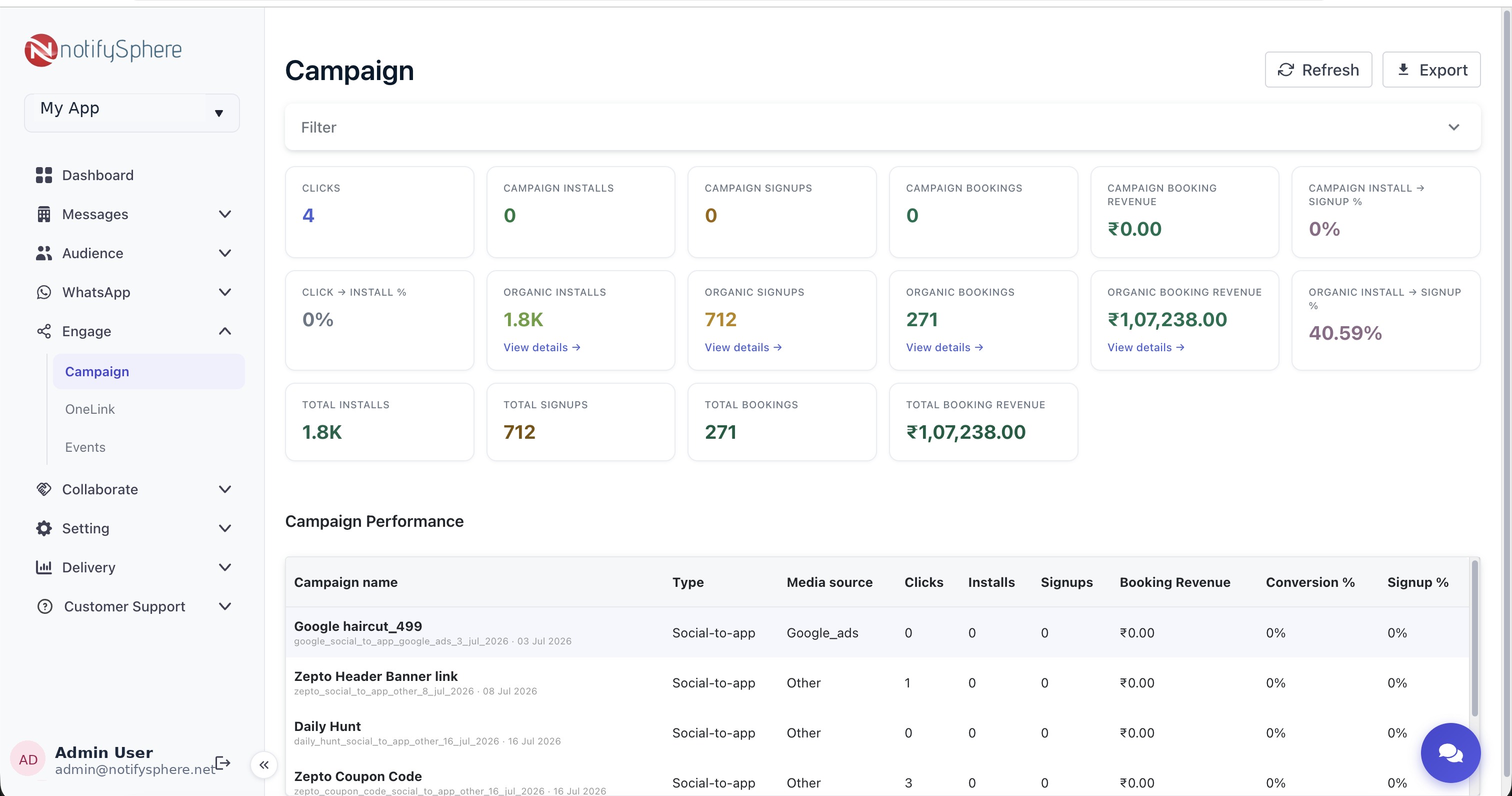
Matching an install to a click doesn't only route the user — it tells you where the install came from. That's mobile app install attribution: crediting each install, and the sign-ups and purchases that follow, to the campaign, ad network, or referral link that drove it. With attribution data you can compare channels by real outcomes instead of clicks.
Where deferred deep links help
- Paid ads: send users straight to the advertised product after install.
- Referral programs: carry the referrer's code through install so both users get credit.
- QR codes and offline campaigns: measure which poster or packaging drove installs.
- Re-engagement: the same link opens the right screen for users who already have the app.
Implementation checklist
- Set up Universal Links and App Links for your domain so existing users open the app directly.
- Integrate an SDK that reads the install referrer on Android and handles first-open matching.
- Decide what happens when no match is found — usually the normal onboarding flow.
- Send post-install events such as sign-up and purchase, so attribution covers outcomes, not just installs.
- Test on real devices with fresh installs; deferred links can't be tested on an app that's already installed.
Deep linking and attribution with notifySphere TrackerLink
notifySphere's TrackerLink creates campaign links for ads, QR codes, and referrals and tracks them through the install. The React Native SDK reads the Android install referrer and attributes in-app conversions to the campaign link with postEvent, so installs, sign-ups, and purchases show up per campaign — in the same dashboard as your push and WhatsApp campaigns. See the React Native SDK docs to get started.